
Free vs Paid Word Search Makers: Which Should You Choose?

You want to make word search puzzles. The big question is: should you use a free tool or pay for a premium word search maker?
This guide breaks down the real differences between free and paid options. You’ll learn what each type offers, when free tools work fine, and when paying makes sense for your goals.
Our word search maker guide covers all the basics. By the end of this article, you’ll know exactly which option fits your situation.
What Free Word Search Makers Actually Offer
Free word search creator tools give you basic puzzle generation at no cost. You can type in words, pick a grid size, and get a puzzle in minutes.
Most free tools include:
- Simple grid layouts (usually square shapes only)
- Basic fonts (often just one or two choices)
- Standard difficulty settings
- Download as PDF or print directly
- Limited customization options
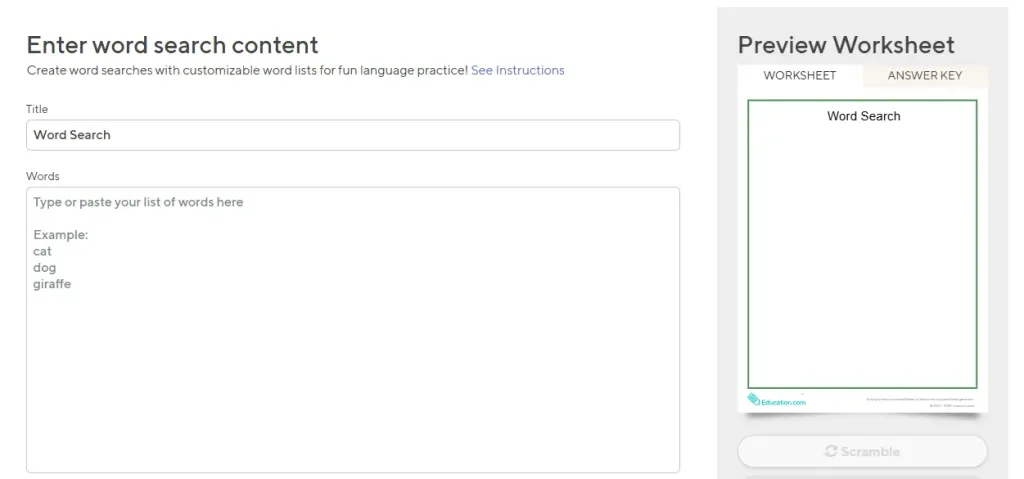
Free generators work well for quick classroom activities or single-use puzzles. Teachers use them for weekly worksheets. Parents print them for road trips.
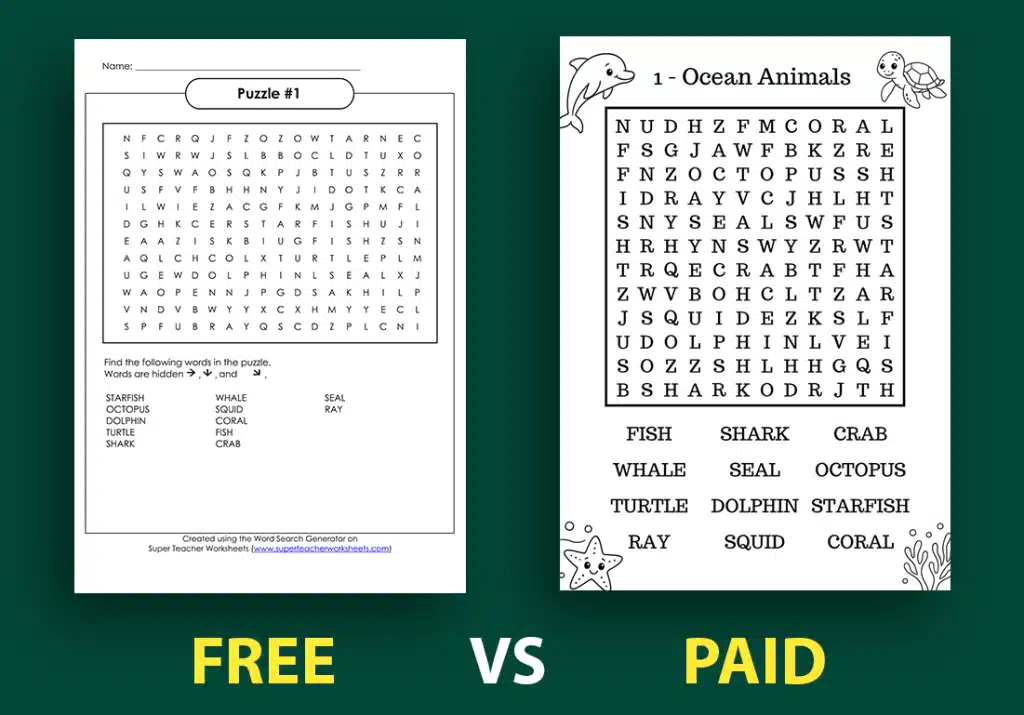
But free tools come with real limits. You can’t adjust spacing, margins, or typography. Most cap your word list at 20 to 30 words. Some add watermarks or branding to your puzzles.
If you need to make a word search puzzle just once or twice, free works fine. The output quality is acceptable for personal use.
The Real Limitations of Free Tools
Free word search generators seem perfect until you need more control. The restrictions show up fast when you try to create professional content.
Here are the actual problems you’ll hit:
Grid size restrictions. Most free tools lock you into 15×15 or 20×20 grids. You can’t make larger puzzles for advanced users or smaller ones for kids.
Font limitations. You get one or two basic fonts. No large print options for seniors. No kid-friendly rounded letters. No bold text for better visibility.
No customization. You can’t change margins, line spacing, or cell padding. The puzzle looks generic. Every user of that free tool creates identical layouts.
Word count caps. Free versions often limit you to 15 or 20 words per puzzle. That’s too few for engaging content or book-length projects.
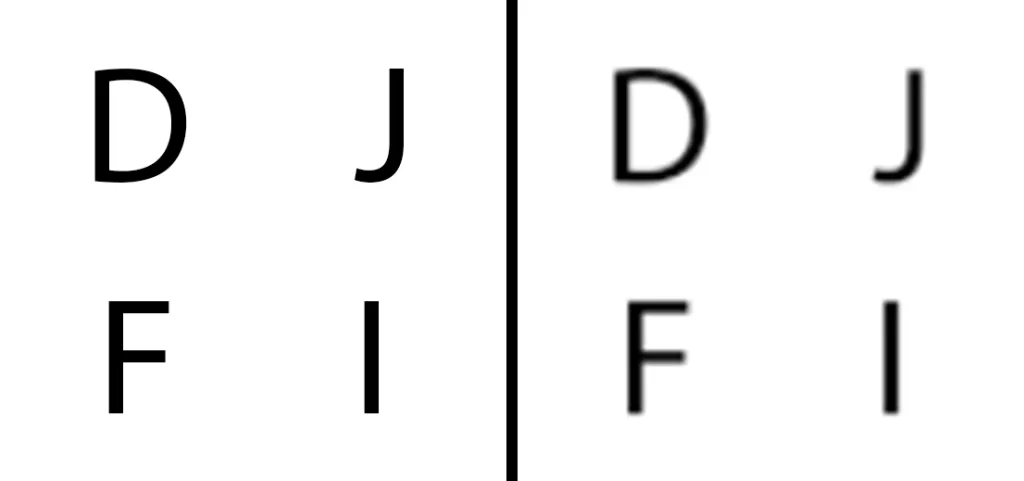
Quality issues. Free tools usually export at 72 or 150 DPI. That’s fine for screens but looks blurry when printed. Amazon KDP requires 300 DPI for professional books.
Branding and watermarks. Many free tools stamp their logo on your puzzle. You can’t remove it. That makes your work look unprofessional.
No bulk generation. Creating 50 or 100 puzzles means repeating the same process manually. That takes hours.
Limited support. Free tools rarely offer help. If something breaks, you’re stuck.
These limits don’t matter for casual use. But if you sell puzzles on Amazon, Etsy, or other platforms, free tools can’t deliver what you need. Compare different word search generator tools to see the full range of features available.
What Paid Word Search Makers Deliver
Paid word search creator tools remove the restrictions. You get professional features that free versions can’t match.
Premium tools typically include:
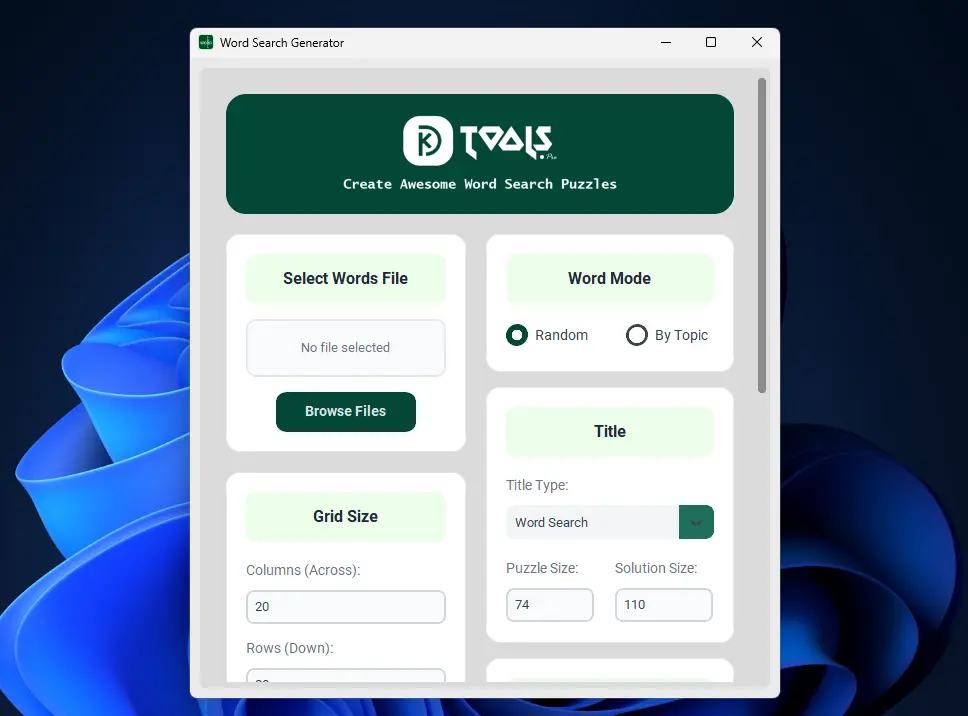
Full customization control. Adjust grid sizes from 10×10 to 30×30 or larger. Change fonts, weights, and sizes. Control spacing, margins, and layout precisely.
Print-ready quality. Export at 300 DPI or higher. Your puzzles look crisp on paper. They meet Amazon KDP standards and professional printing requirements.
Unlimited puzzles. Generate as many word searches as you need. No daily caps or monthly limits.
Bulk creation. Make 50 or 100 puzzles in one session. Some tools let you upload word lists and auto-generate entire books.
Advanced features. Add themes, shapes, difficulty variations, and answer keys. Create puzzles that stand out from generic free options.
Commercial rights. Sell your puzzles without restrictions. Free tools often prohibit commercial use in their terms of service.
Dedicated support. Get help when you need it. Paid tools usually offer email support, tutorials, and documentation.
Time savings. What takes 5 hours with free tools takes 30 minutes with paid software. That matters when you’re publishing multiple books.
The cost varies. Basic paid tools start around $10 to $20 per month. Professional software for serious publishers runs $30 to $100 monthly.
When Free Tools Make Sense
Free word search makers work fine in specific situations. You don’t always need to pay.
Use free tools when:
You need one or two puzzles. Making a single worksheet for your kid’s class? Free is perfect. The time investment is low, and quality doesn’t matter much.
Budget is zero. If you can’t spend money right now, free tools let you start. You can always upgrade later.
Testing the concept. Not sure if puzzle creation fits your goals? Try free tools first. See if you enjoy the process before committing money.
Personal use only. Printing puzzles for family game night or personal entertainment doesn’t require professional quality.
Simple designs are fine. If you don’t care about fonts, layouts, or customization, basic free tools do the job.
[Link to Article #8 using anchor text: “Etsy sellers” – place this link on “selling” in next paragraph]
Free tools fail when you’re selling puzzles as products. Etsy buyers expect polished designs. Amazon customers leave bad reviews for low-quality books. Your reputation suffers when your puzzles look amateur.
The cost of free tools is your time. Spending 3 hours to manually create what paid software does in 20 minutes means you’re working for less than minimum wage.
When Paid Tools Are Worth It
Paid word search generator options make sense when puzzle creation is more than a hobby. The return on investment shows up fast.
Pay for tools when:
You’re publishing on Amazon KDP. Serious publishers need 300 DPI quality, professional layouts, and bulk generation. Free tools can’t deliver this. Your books need to compete with thousands of other puzzle books.
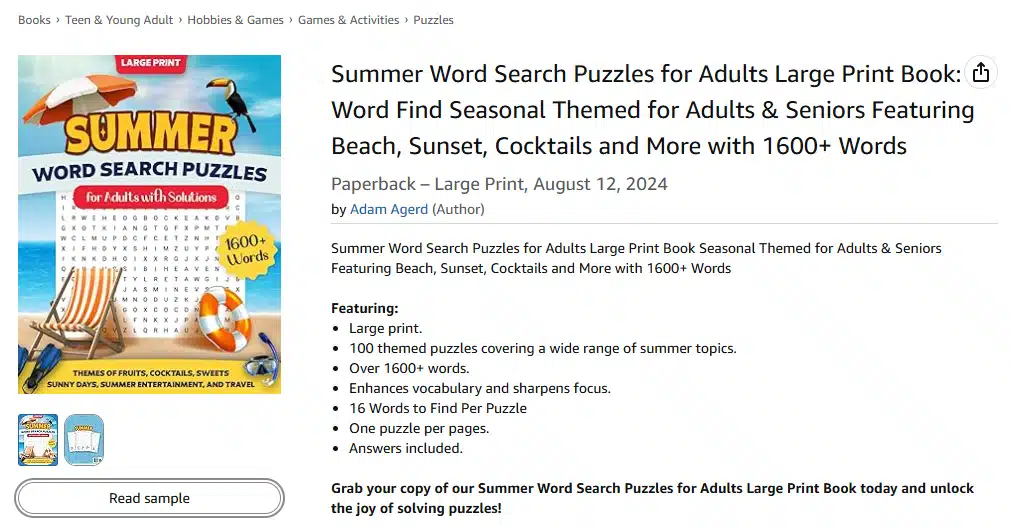
You sell on Etsy. Printable puzzle sellers need commercial rights and high-quality PDFs. Customers pay for professional designs. Your listings need attractive previews that convert browsers into buyers.
You make puzzles regularly. Creating puzzles weekly or monthly means you’ll use paid tools dozens of times. The monthly fee pays for itself in time saved.
You want passive income. Building a catalog of 10 or 20 puzzle books requires hundreds of individual puzzles. Paid tools let you scale up production without burning out.
Quality matters to your brand. If you’re building a reputation as a puzzle creator, your work needs to look professional. Consistent, polished output builds trust with customers.
Time is valuable. If your time is worth $20 per hour and paid software saves you 2 hours per week, it pays for itself immediately.
The math is simple. A $30 monthly tool that helps you publish 2 extra puzzle books could generate $200 to $500 in monthly royalties. That’s a strong return.
Calculating Your Real Costs
Let’s look at actual numbers. This helps you decide what makes financial sense.
Free tool scenario:
- Cost: $0
- Time per puzzle: 10 minutes
- Quality: 72 to 150 DPI (not KDP-ready)
- Customization: Very limited
- 50-puzzle book creation time: 8+ hours
- Commercial use: Often prohibited
- Monthly value: $0 spent, but hours lost
Basic paid tool scenario:
- Cost: $15 to $30 per month
- Time per puzzle: 2 to 3 minutes
- Quality: 300 DPI (print-ready)
- Customization: Full control
- 50-puzzle book creation time: 2 to 3 hours
- Commercial use: Included
- Monthly value: Time saved = 5+ hours
Professional tool scenario:
- Cost: $50 to $100 per month
- Time per puzzle: Under 1 minute with bulk tools
- Quality: 300+ DPI with advanced features
- Customization: Complete control
- 50-puzzle book creation time: 30 to 60 minutes
- Commercial use: Unlimited
- Support: Priority help
- Monthly value: Time saved = 10+ hours
If you value your time at $25 per hour, a tool that saves 5 hours monthly is worth $125 in labor. A $30 subscription pays for itself four times over.
The hidden cost of free tools is opportunity cost. Every hour spent fighting with limited software is an hour you could spend marketing your books or creating new products.
Feature Comparison: What Actually Matters
Not all paid features matter equally. Focus on what improves your end product.
Must-have features for sellers:
- 300 DPI export (required for KDP and print quality)
- Commercial use rights (you need this to sell legally)
- Custom grid sizes (different audiences need different difficulty levels)
- Font options (readability makes or breaks puzzle books)
- Bulk generation (saves hours of repetitive work)
Nice-to-have features:
- Themed shapes (hearts, stars, animals)
- Multiple difficulty presets
- Answer key generation
- Brand removal options
- Template libraries
Features you might not need:
- Web-based puzzle hosting (if you’re just making PDFs)
- Social sharing buttons (not relevant for book publishers)
- Collaborative editing (unless you work with a team)
Match features to your actual workflow. A teacher needs quick generation and kid-friendly fonts. A KDP publisher needs bulk tools and print quality. An Etsy seller needs beautiful layouts and commercial rights.
Don’t pay for features you won’t use. But don’t skip features that directly affect your product quality or time investment.
Real User Scenarios
Here are actual examples showing when each option makes sense.
Sarah, elementary teacher:
Sarah creates weekly word searches for her third-grade class. She needs 1 puzzle per week for 30 weeks. She prints 25 copies per puzzle.
Best choice: Free tools work fine. She’s not selling puzzles. Print quality from school printers is low anyway. Time investment is minimal. Free tools meet her needs perfectly.
Mike, hobby puzzle maker:
Mike enjoys creating puzzles for friends and family. He makes 2 to 3 puzzles monthly and shares them on social media for fun.
Best choice: Free tools fit his use case. He’s not monetizing his work. Volume is low. He doesn’t need professional features.
Jennifer, part-time KDP publisher:
Jennifer publishes 2 puzzle books per quarter on Amazon. Each book contains 100 puzzles. She’s building a passive income stream and currently makes $300 monthly in royalties.
Best choice: Paid tools. She needs 800 puzzles yearly. Time saved with bulk generation is massive. Print quality affects her reviews and sales. A $30 monthly subscription is 10% of her income and saves her 20+ hours per month.
David, full-time Etsy seller:
David runs a printable puzzle shop on Etsy. He creates 50+ new designs monthly and generates $3,000 to $5,000 in monthly sales. Customers expect premium quality.
Best choice: Professional paid tools. His income depends on output quality and speed. Time is money. A $100 monthly tool that saves 15 hours is worth $375 to $500 in his time (at $25 to $35 hourly value). The ROI is clear.
Your situation determines your choice. Match the tool tier to your goals and income level.
Common Misconceptions About Paid Tools
Let’s clear up some myths that stop people from upgrading.
Myth 1: Paid tools are too expensive.
Reality: A $30 tool that saves you 5 hours monthly costs $6 per hour. That’s cheaper than any service you could hire. The time value alone justifies the cost.
Myth 2: Free tools are just as good.
Reality: Free tools work for basic needs. But they can’t match paid software for print quality, customization, or bulk generation. The output quality difference is obvious in print.
Myth 3: I can’t afford paid tools until I’m making money.
Reality: This is backwards. Paid tools help you make money faster. Starting with professional tools means your first products look professional. That leads to better reviews and more sales.
Myth 4: Learning paid software is too hard.
Reality: Most premium word search makers are easier to use than free tools. Better interfaces and clear options reduce confusion. Support teams help when you’re stuck.
Myth 5: I only need one or two puzzles, so paid is overkill.
Reality: True for genuine one-time use. But most people who think they need “just one” puzzle end up making more. If you might create 5+ puzzles ever, paid tools save time overall.
How to Choose Your First Paid Tool
If you’ve decided to invest in a paid word search maker, here’s how to pick the right one.
Step 1: Define your use case.
Are you publishing books? Selling printables? Making classroom materials? Your primary use determines which features matter most.
Step 2: Set a realistic budget.
Allocate 5% to 10% of expected monthly revenue to tools. If you’re just starting, budget $20 to $50 monthly for software.
Step 3: Test free trials.
Most paid tools offer 7 to 14 day trials. Test 2 or 3 options. Create actual puzzles you would sell. Check export quality, ease of use, and speed.
Step 4: Evaluate print quality.
Export a test puzzle at 300 DPI. Print it on your home printer or at a local print shop. Does it look sharp? Is the text readable? This is your quality check.
Step 5: Calculate time savings.
Time yourself creating 5 puzzles with your current method. Then time the same task with the paid tool. Multiply time saved by your hourly value. That’s your monthly ROI.
Step 6: Check commercial rights.
Read the terms of service. Confirm you can sell puzzles created with the tool. Some platforms restrict commercial use even on paid plans. For more details on tool selection, see our comprehensive word search maker guide.
Step 7: Start with mid-tier plans.
Don’t buy the most expensive option first. Start with a $20 to $40 monthly plan. Upgrade later if you need more features.
Making the Switch: Free to Paid
Moving from free to paid tools feels like a big step. Here’s how to make the transition smooth.
Start with a trial.
Don’t cancel free tools immediately. Run both for 1 to 2 weeks. Get comfortable with the paid software before fully switching.
Export your old work.
If you have word lists or designs in free tools, export or copy them. You’ll want to recreate some puzzles with better quality.
Learn one feature at a time.
Don’t try to master every advanced feature immediately. Start with basic generation. Add customization gradually.
Create a template.
Set up your preferred settings (font, size, spacing, margins) once. Save it as a template. Reuse this for every puzzle. This saves setup time.
Track your time.
For the first month, log how long puzzle creation takes with paid tools vs your old method. Seeing the time savings in hard numbers reinforces your decision.
Use support resources.
Watch tutorial videos. Read documentation. Contact support with questions. You paid for help, so use it.
Most people who switch to paid tools wish they had done it sooner. The time savings and quality improvement become obvious within days.
The Bottom Line
Free word search maker tools work for casual, personal use. They’re perfect for teachers making weekly worksheets or parents printing occasional puzzles.
Paid tools make sense when you’re creating content to sell, building a business, or making puzzles regularly. The investment pays back through time savings and better product quality.
Your choice depends on three factors: how often you create puzzles, whether you sell them, and how much you value your time.
If you’re building a puzzle book business on Amazon or Etsy, paid tools aren’t optional. They’re the difference between looking like an amateur and looking like a professional publisher.
Try KDPTools Free
KDPTools offers a professional word search maker built specifically for publishers. You get 300 DPI export, unlimited customization, bulk generation, and full commercial rights.
Ready to create professional word search puzzles?
Try KDPTools free and see the difference. No credit card required.
- Generate unlimited puzzles
- Export print-ready 300 DPI PDFs
- Full customization control
- Built for KDP and Etsy sellers
Whether you choose free or paid, the best tool is the one that helps you reach your goals faster. Start creating today.
KDPTools Content Team creates simple, practical guides to help publishers make high-quality puzzle books using smart automation tools like Word Search Generator, and Word Search Book Builder.
We focus on clear tutorials, fast workflows, and print-ready puzzle interiors for Amazon KDP and Etsy.