
Best Word Search Generator Tools: 2025 Comparison & Review
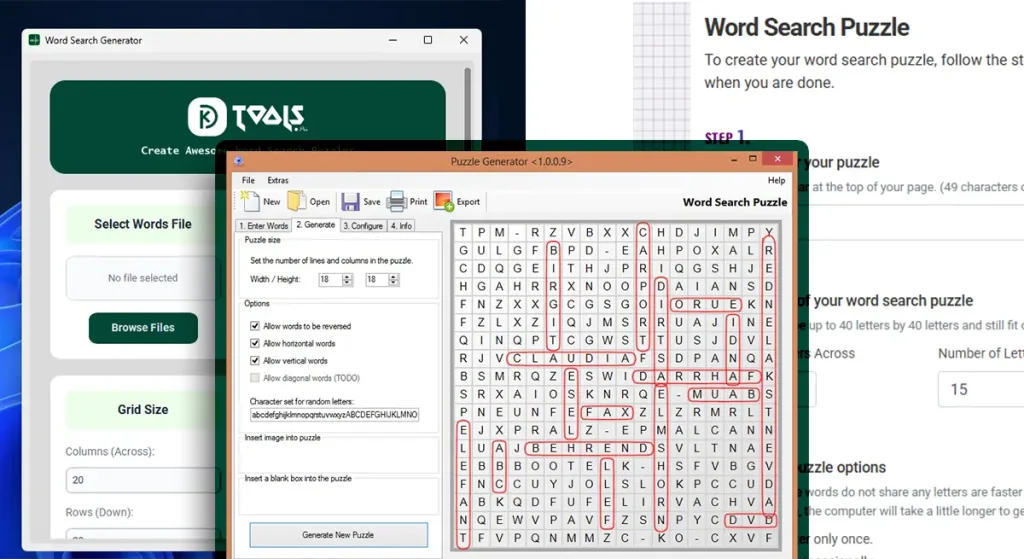
If you’re looking for the right word search generator to create professional puzzles, you’ve come to the right place. Whether you’re a KDP publisher, Etsy seller, or teacher, choosing the best word search generator can save you hours of work and dramatically improve your puzzle quality.
In this comprehensive review, we’ll compare the top word search generator tools available in 2025, examining their features, pricing, and ideal use cases. By the end, you’ll know exactly which word search puzzle generator free or paid option fits your needs. For a complete overview of puzzle creation strategies, check out our word search maker guide.
What Makes a Great Word Search Generator?
Before diving into specific tools, let’s establish what separates an excellent word search generator from a mediocre one.
Essential Features:
- Customization options including grid size, font selection, and difficulty levels
- Print quality output with at least 300 DPI for professional publishing
- Multiple export formats such as PDF, PNG, or editable files
- Bulk generation capability for creating multiple puzzles quickly
- User-friendly interface that doesn’t require design experience
Advanced Features:
- Custom themes and visual styling
- Hidden message capabilities
- Answer key generation
- KDP-specific formatting and trim sizes
- Commercial licensing for selling puzzles
The best word search generator for you depends on whether you’re creating puzzles for personal use, classroom activities, or commercial publishing.
Top Word Search Generator Tools Compared
1. KDPTools Word Search Generator
Best for: KDP Publishers & Serious Puzzle Creators
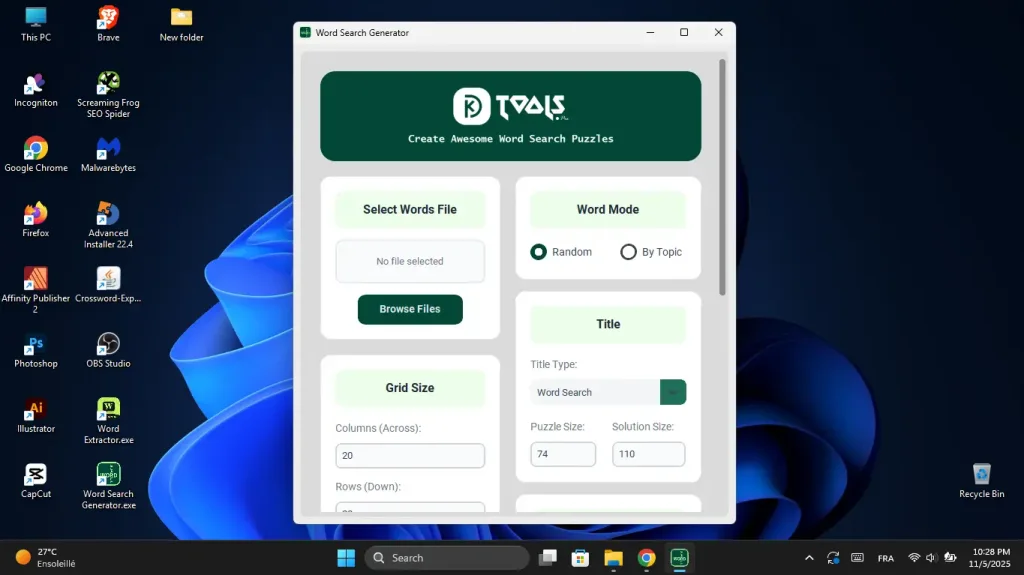
KDPTools specializes in professional puzzle creation specifically designed for Amazon KDP publishers and Etsy sellers. Unlike general-purpose puzzle makers, every feature is built with publishing in mind.
Key Features:
- 300 DPI print-quality output optimized for KDP requirements
- Full customization: fonts, grid sizes (up to 30×30), difficulty settings
- KDP trim size presets (8.5×11, 8×10, 7×10)
- Unlimited puzzle generation with subscription
- Book builder tool to compile multiple puzzles into complete manuscripts
- Commercial license included for selling puzzles
- Word extractor tool for building themed word lists
- Automatic answer key generation
Pricing:
- Free demo available with limited features
- Paid plans start at competitive monthly rates for unlimited generation
Pros:
- Purpose-built for commercial publishing
- Exceptional print quality
- Complete workflow from puzzle to published book
- Regular updates and new features
- Dedicated support for publishers
Cons:
- Focused on publishing use cases rather than casual puzzle making
- Requires subscription for full features
Best Use Cases: Creating puzzle books for Amazon KDP, generating printable puzzles for Etsy shops, building themed puzzle collections for commercial sale.
2. Discovery Education Puzzlemaker
Best for: Teachers & Classroom Use
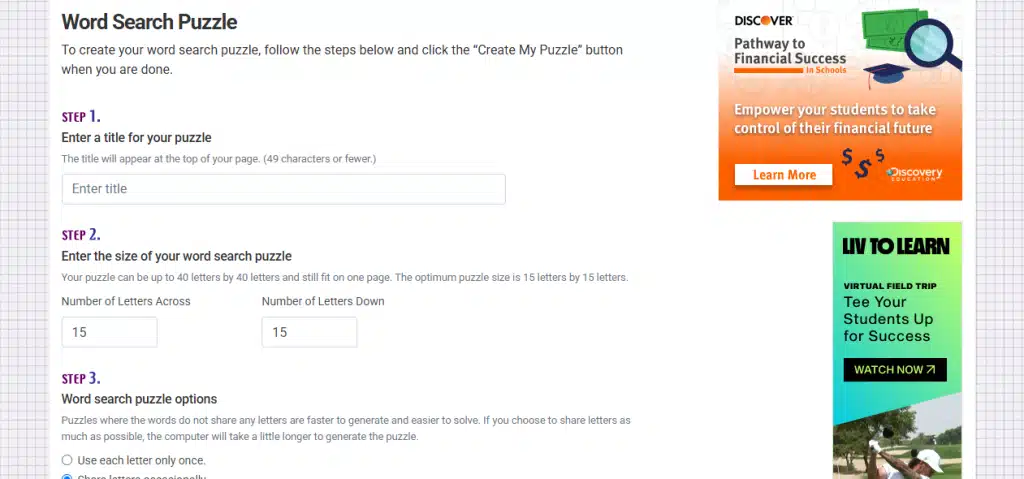
Puzzlemaker by Discovery Education is a free word search generator that’s been a classroom staple for years. It’s designed specifically for educators creating educational materials.
Key Features:
- Completely free to use
- Simple, straightforward interface
- Multiple puzzle types beyond word searches
- Instant generation and printing
- No registration required for basic use
Pricing: Free
Pros:
- Zero cost for teachers
- Quick and easy for simple puzzles
- Trusted educational resource
- No learning curve
Cons:
- Limited customization options
- Lower print quality (not suitable for professional publishing)
- Basic design aesthetic
- No commercial use license
- Cannot generate puzzles in bulk
- Limited grid size options
Best Use Cases: Creating quick classroom handouts, homework assignments, educational activities for personal or educational use only.
3. Puzzle-Generator.com
Best for: Hobbyists & One-Off Puzzles
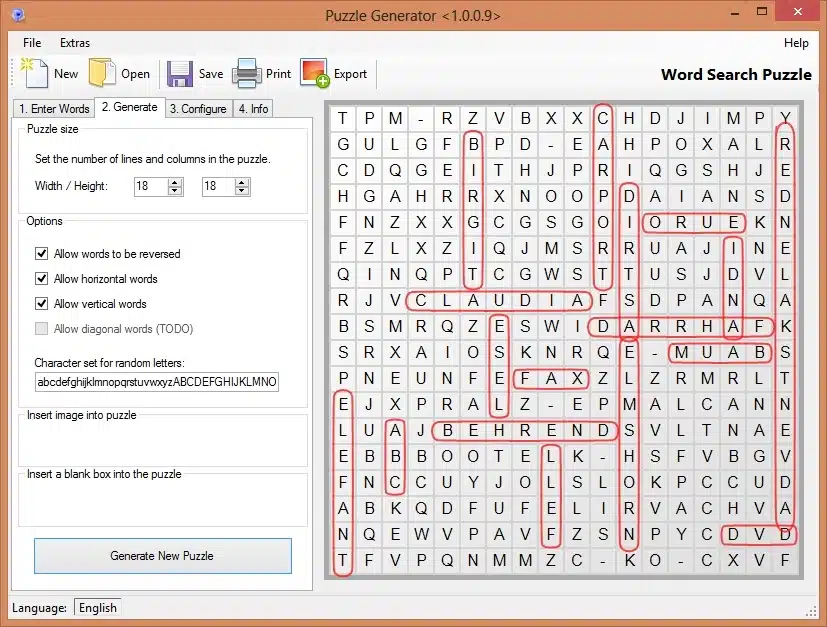
This free word search generator offers a middle ground between basic tools and professional software. It provides more customization than educational tools but less than publishing-focused platforms.
Key Features:
- Free online word search generator
- Moderate customization (fonts, colors, grid sizes)
- PDF and image export
- Browser-based, no installation required
- Multiple puzzle types available
Pricing: Free with ads; premium version removes ads and adds features ($4.99/month)
Pros:
- Accessible and user-friendly
- Better customization than basic free tools
- Decent print quality for personal use
- Works on any device with a browser
Cons:
- Print quality not ideal for professional publishing
- Ad-supported free version
- Limited commercial use rights
- No bulk generation capabilities
- Maximum grid size restrictions
Best Use Cases: Personal puzzle creation, party games, family activities, small-scale printable projects.
4. TheWordSearch.com
Best for: Free Quick Puzzles
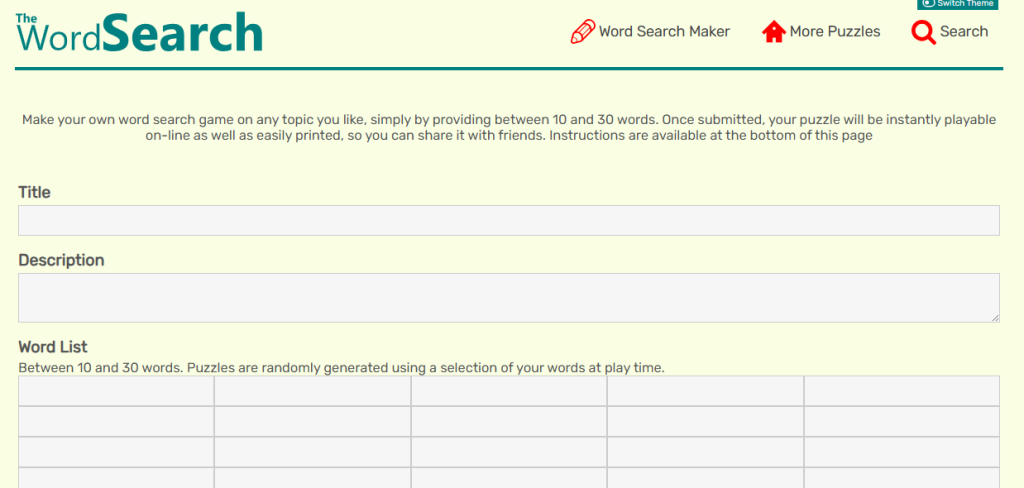
TheWordSearch.com offers a straightforward free word search maker that generates puzzles quickly without requiring an account.
Key Features:
- Completely free word search puzzle generator
- No registration needed
- Instant PDF download
- Multiple puzzle sizes
- Simple word list input
Pricing: Free
Pros:
- Fastest setup time
- Zero barriers to entry
- Clean, distraction-free interface
- Immediate results
Cons:
- Very limited customization
- Generic appearance
- Not suitable for commercial use
- No advanced features
- Basic print quality
Best Use Cases: Last-minute party activities, quick entertainment for kids, testing word list ideas before committing to professional tools.
5. Crossword Hobbyist
Best for: Multi-Puzzle Creators
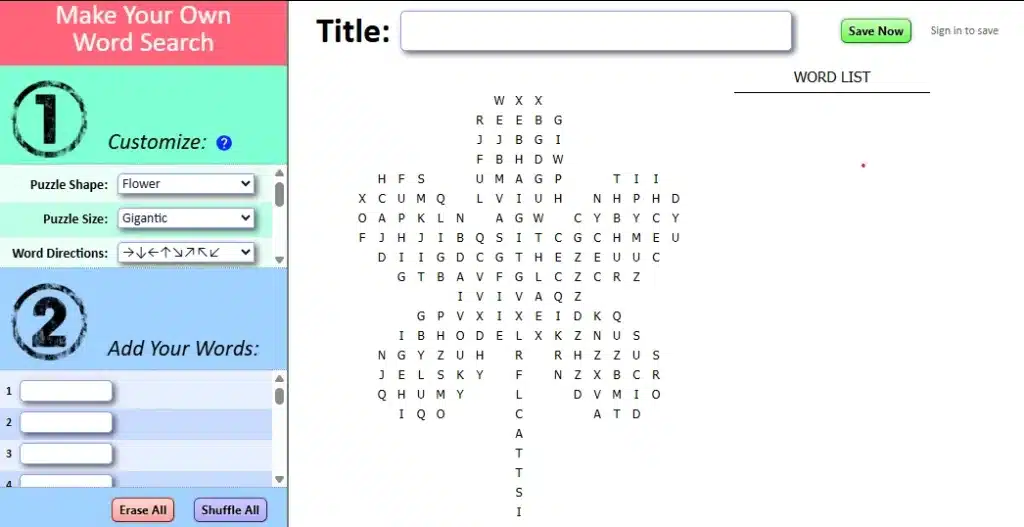
Despite its name, Crossword Hobbyist includes a capable word search generator alongside other puzzle types. It’s designed for puzzle enthusiasts who create various puzzle formats.
Key Features:
- Free and paid tiers
- Multiple puzzle format support
- Cloud storage for saved puzzles
- Sharing and embedding options
- Moderate customization
Pricing: Free (limited features); Premium $5/month or $40/year
Pros:
- Versatile platform for different puzzle types
- Save and manage puzzle library
- Reasonable pricing for premium features
- Active user community
Cons:
- Not specialized for any specific use case
- Print quality varies
- Interface can feel cluttered
- Commercial licensing unclear on free tier
Best Use Cases: Puzzle enthusiasts creating various types, bloggers embedding puzzles on websites, hobbyists building puzzle collections.
Feature Comparison Matrix
| Feature | KDPTools | Puzzlemaker | Puzzle-Generator | TheWordSearch | Crossword Hobbyist |
|---|---|---|---|---|---|
| Print Quality | 300 DPI (Professional) | 72-150 DPI (Basic) | 150-200 DPI (Good) | 150 DPI (Basic) | 150-200 DPI (Good) |
| Grid Size | Up to 30×30 | Up to 25×25 | Up to 20×20 | Up to 20×20 | Up to 25×25 |
| Custom Fonts | ✅ Multiple options | ❌ Limited | ✅ Some options | ❌ None | ✅ Limited |
| Bulk Generation | ✅ Unlimited | ❌ | ❌ | ❌ | ✅ Limited |
| Commercial License | ✅ Included | ❌ Educational only | ⚠ Restrictions | ❌ | ⚠ Check terms |
| KDP Formatting | ✅ Built-in | ❌ | ❌ | ❌ | ❌ |
| Answer Keys | ✅ Automatic | ✅ Basic | ✅ Basic | ✅ Basic | ✅ Basic |
| Price | Paid subscription | Free | Free/Premium | Free | Free/Premium |
Pricing Breakdown: Cost vs. Value
When evaluating the best word search generator for your needs, consider the total value, not just the upfront cost.
Free Tools:
- Best for: Occasional use, educational purposes, testing ideas
- Limitations: Restricted commercial use, lower quality, no bulk creation
- Hidden costs: Time spent on manual adjustments, potential licensing issues
Paid Professional Tools:
- Best for: Publishers, entrepreneurs, frequent creators
- Investment: $10-30/month typically
- ROI: One published puzzle book can recoup months of subscription costs
- Time savings: Hours saved per book = more publishing capacity
Understanding whether free or paid word search makers are right for your situation is crucial for making the right investment decision.
Real User Experiences: Who Uses What?
KDP Publishers (Commercial): “After trying free word search generators, I switched to KDPTools and my publishing speed tripled. The print quality difference was immediately noticeable in customer reviews.” – Sarah M., KDP Publisher with 47 puzzle books
Teachers (Educational): “Discovery Education’s Puzzlemaker is perfect for my weekly vocabulary activities. I don’t need fancy features, just quick reliable puzzles for classroom use.” – James T., Middle School Teacher
Etsy Sellers (Commercial): “I started with free tools but customers complained about quality. Investing in a professional word search puzzle generator was the best business decision I made.” – Linda K., Etsy Seller
How to Choose the Right Word Search Generator
Follow this decision framework:
Choose Free Tools If:
- You’re creating puzzles for personal or classroom use only
- You need just 1-2 puzzles occasionally
- Print quality isn’t critical
- You’re testing puzzle ideas before investing
Choose Professional Tools If:
- You’re publishing puzzle books on Amazon KDP
- You’re selling puzzles on Etsy or other marketplaces
- You need consistent, high-quality output
- You’re creating puzzles regularly (weekly or more)
- Time efficiency matters to your business
- You want reliable commercial licensing
Quick Decision Quiz:
- Will you sell these puzzles? → Consider professional tools
- Do you need more than 10 puzzles per month? → Professional tools pay off
- Is this for classroom use only? → Free educational tools work great
- Do you need 300 DPI print quality? → Professional tools required
- Want to build a publishing business? → Investment-grade tools essential
Common Mistakes When Choosing a Generator
Mistake #1: Focusing Only on Price Free tools seem attractive but can cost more in time and opportunity. Calculate hourly time saved versus subscription cost.
Mistake #2: Ignoring Commercial Licensing Using free educational tools for commercial purposes violates terms of service and risks legal issues. Always verify licensing rights.
Mistake #3: Overlooking Print Quality 72-150 DPI looks fine on screen but prints poorly. KDP customers expect professional quality, and reviews reflect printing issues.
Mistake #4: Not Considering Scalability Starting with limited tools means painful migration later. Choose tools that grow with your business.
Mistake #5: Skipping the Testing Phase Most professional tools offer free trials or demos. Test print quality before committing to any platform.
Advanced Features Worth Considering
Once you’ve mastered basic word search generation, these advanced features become valuable:
Custom Shape Grids: Create puzzles in themed shapes (hearts, stars, circles) for visual appeal and higher perceived value.
Difficulty Algorithms: Automatic difficulty calibration ensures puzzles match your target audience’s skill level.
Theme Templates: Pre-built templates for holidays, seasons, or niches save setup time.
Batch Processing: Generate 50+ unique puzzles from a master word list automatically.
Multi-Language Support: Expand to international markets with proper character set support.
For power users looking to maximize their puzzle creation capabilities, exploring advanced custom word search generator features can unlock significant competitive advantages.
Word Search Generator Trends in 2025
The puzzle creation landscape continues evolving. Here’s what’s new:
AI-Assisted Word List Generation: Some tools now suggest thematically related words to complete your puzzles automatically.
Enhanced Print Quality: Industry standard has shifted from 150 DPI to 300 DPI minimum as print-on-demand quality improves.
Integrated Publishing Workflows: Modern tools connect directly to publishing platforms, streamlining the upload process.
Mobile-First Design: Create and manage puzzles from tablets and phones, not just desktop computers.
Subscription Flexibility: More tools offer usage-based pricing alongside traditional subscriptions.
Getting Started: Your Action Plan
For Teachers:
- Start with Discovery Education Puzzlemaker (free)
- Test puzzle difficulty with your students
- Create reusable templates for vocabulary units
- Try the free demo for occasional higher-quality projects
For KDP Publishers:
- Start with KDPTools free demo to test print quality
- Create your first 5-puzzle collection
- Upload to KDP and evaluate customer response
- Scale up with paid subscription once validated
- Study proven strategies for creating word search books that actually sell on Amazon
For Etsy Sellers:
- Research trending puzzle niches on Etsy
- Access KDPTools free demo to create samples
- Test different puzzle sizes and themes
- Optimize listings based on customer feedback
For Casual Users:
- Try TheWordSearch.com for immediate needs
- Experiment with Puzzle-Generator.com for better customization
- Upgrade to professional tools if you start creating regularly
Frequently Asked Questions
What’s the best free word search generator?
For educational use, Discovery Education’s Puzzlemaker. For better customization while staying free, Puzzle-Generator.com offers more options.
Can I use free generators to sell puzzles?
Most free word search generator tools restrict commercial use. Always read terms of service. Professional tools like KDPTools include commercial licensing.
What print quality do I need for KDP?
Amazon KDP recommends 300 DPI for optimal print quality. Most free tools output 72-150 DPI, which isn’t sufficient for professional publishing.
How many puzzles can I create?
Free tools typically allow unlimited creation but may have daily limits. Professional subscriptions offer truly unlimited generation.
Do I need design skills?
No. Modern word search generators handle all design automatically. You only need to input words and choose basic settings.
Conclusion: Making Your Choice
The best word search generator for you depends entirely on your specific needs and goals.
For commercial publishing on KDP or Etsy, professional tools like KDPTools provide the quality, licensing, and efficiency needed to build a sustainable business. The investment pays for itself quickly through time savings and superior product quality.
For educational use, free tools like Discovery Education’s Puzzlemaker offer everything teachers need without any cost.
For casual hobbyists, free online generators provide sufficient features for personal projects and family activities.
The key is matching the tool to your purpose. Don’t try to build a publishing business on free educational tools, and don’t overspend on professional features you’ll never use.
Ready to create professional word search puzzles? Try KDPTools free demo today and see the quality difference for yourself. No credit card required, full access to test print quality and features.
Whether you’re just getting started or scaling an existing puzzle business, having the right word search creator tools and strategies makes all the difference in your success.
Related Resources:
- How to Make a Word Search Puzzle in 5 Minutes (Step-by-Step Guide)
- Word Search Creator for Teachers: Classroom Tips & Best Practices
KDPTools Content Team creates simple, practical guides to help publishers make high-quality puzzle books using smart automation tools like Word Search Generator, and Word Search Book Builder.
We focus on clear tutorials, fast workflows, and print-ready puzzle interiors for Amazon KDP and Etsy.